Instant notification of successful payment
 With GoPay we have 7% more completed payments.
Special Offer
Now free for 3 months for new GoPay customers Learn more ![arrow]()

QR Payment
Offer your customers modern QR payments and receive confirmation within seconds.
-
![]() Instant notification of successful payment
Instant notification of successful payment -
![]() More convenient than a standard bank transfer
More convenient than a standard bank transfer -
![]() Maximum success rate of completed payments
Maximum success rate of completed payments
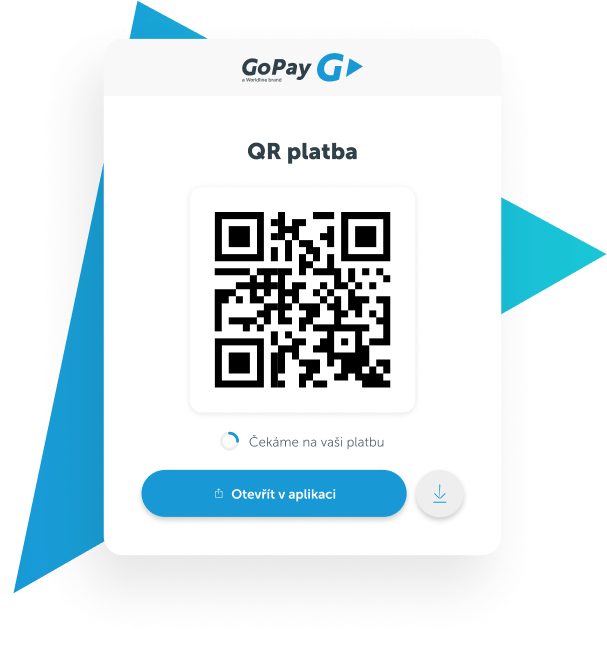
How QR code payment works
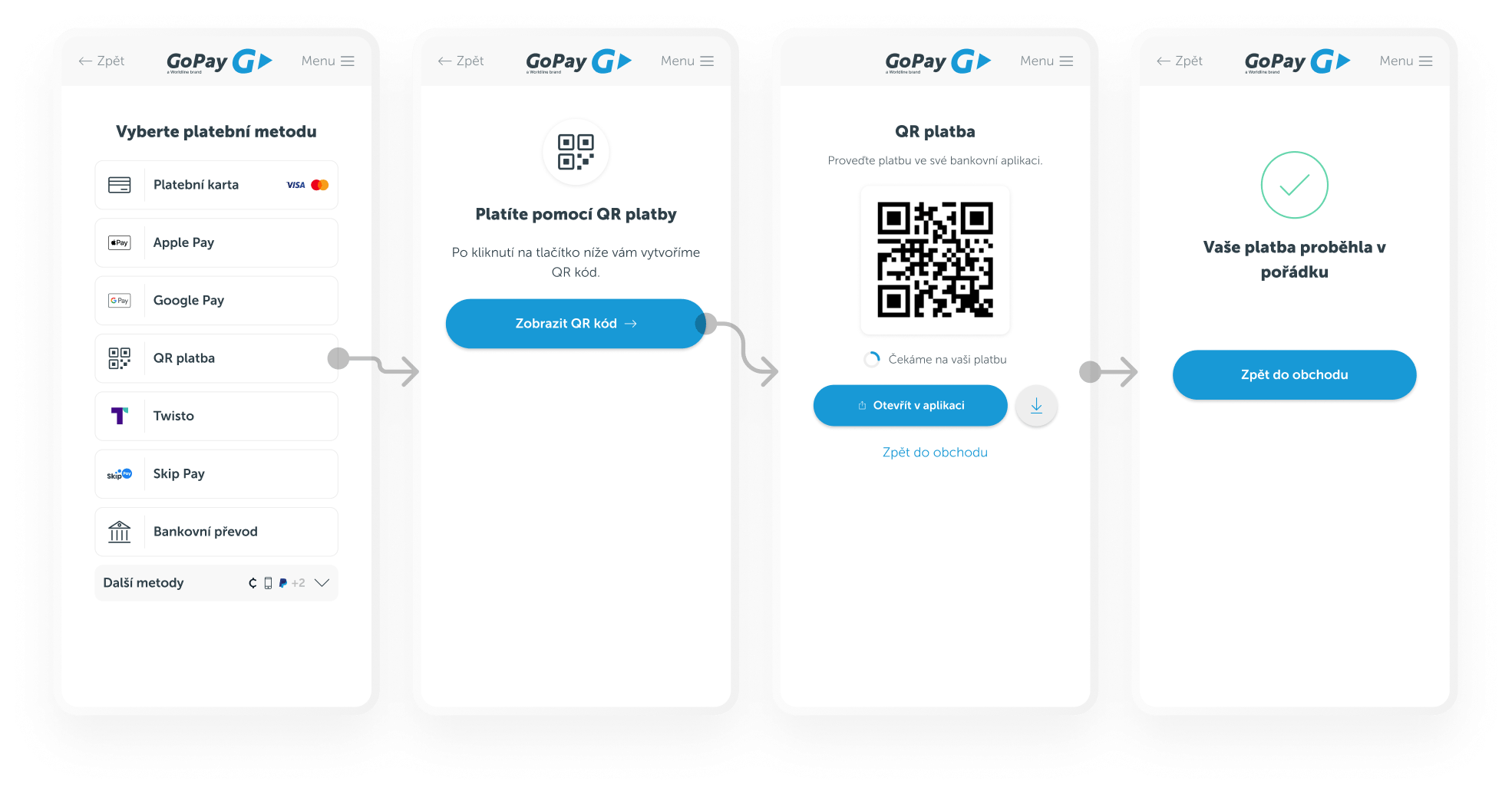
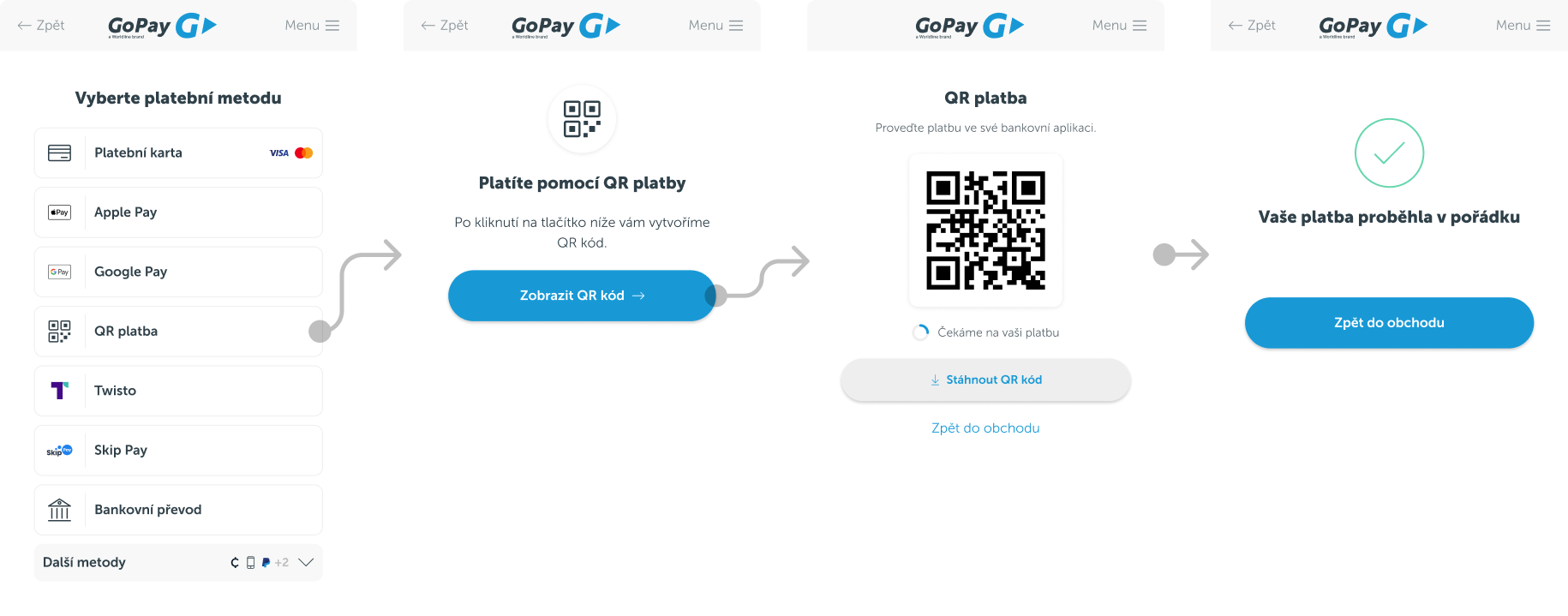
The customer completes their order in the online store cart and proceeds to payment. They select QR payment at the checkout gateway, and a unique QR code is displayed. They scan it using their mobile banking app and confirm the payment. The transaction takes place instantly and is automatically paired with the order. Fast, flawless, and without delay.
How much do GoPay QR payments cost?
We offer QR payments at the same price as regular bank transfers.
No hidden fees or additional costs.
Why is QR payment worth it?

Instant payment confirmation
We monitor account movements every 5 seconds. As soon as the payment arrives, we inform you immediately.

Customer convenience
No manual entry of payment details – the customer simply scans the QR code and pays in seconds.

Easy integration
Add QR payment to your payment gateway in just a few clicks. No complex setup required.
Frequently asked questions about QR payments
How do I get QR payments for my new online store?
You can get QR payments easily in three steps. First, fill out a short registration form at GoPay to gain access to the payment gateway. Next, connect it to your online store using a plugin or API. Finally, simply activate the "Bank Transfer" payment method in the GoPay administration, which ensures that QR payments are automatically displayed in the GoPay gateway. From that moment on, your customers can pay quickly and flawlessly using a QR code. Register here
How to activate QR payments in your GoPay business account
QR payment is automatically available as soon as the "Bank Transfer" payment method is enabled in your GoPay business account.
Does my GoPay gateway integration support QR payments?
QR payment will be available if your integration opens the payment gateway at the method selection stage and the customer does not select a specific payment method in the cart. If the customer selects only "bank transfer" in the cart but chooses a specific bank only at the payment gateway, the QR payment will also be available. However, if the customer selects a specific bank in the cart, it may be necessary to adjust the integration for the QR payment to display correctly. We will be happy to answer your questions at integrace@gopay.cz
How quickly will I receive information about a successful QR payment?
You will receive information about a successful QR payment within 5 seconds if the customer's bank supports instant payments. For some banks that do not support instant payments, there may be a delay of up to several hours.
Where can I find information about successfully completed QR payments?
You can find information about successful QR payments in your GoPay business account under the transaction overview. You can also check each payment via API or in the notification email we send you immediately after completion.
Where and when will the customer see the option to pay by QR code?
The option to pay by QR code will appear directly in the payment method selection menu on the GoPay payment gateway. If the customer selects bank transfer, the QR payment will also be available in the list of banks. This ensures the customer always has easy access to this payment method.
Can I accept QR payments in currencies other than CZK?
Yes. QR payments are available for transactions in Czech Koruna (CZK) and now also in Euros (EUR) for Slovak banks.
Start using GoPay and get more paid orders
GoPay increases payment success rates and makes checkout simpler.
Trusted by 19,823 merchants
Launch within 3 days
Ready-to-use plugins for: ![]()